

Updated September 17, 2023
Despite the fact that I make my living posting on the internet, I'm a bit of a stickler when it comes to online privacy and I try to keep my private life off the internet as much as possible. I rarely update the main social media sites when it comes to my own life, and that goes double when it comes to my kid. Long before my son was born I made the decision to post about him as little as possible because I feel that he deserves the privacy to grow without every move he makes being posted online.
The problem with that decision is that all of our family members live in other states and they were concerned that without regular Facebook updates that they would never get to see our son grow up. As much as I don't want to post his photo online with any sort of regularity, I am also terrible at printing out photos or making photo books!
I spent some time researching photo-sharing apps and found Tinybeans, which is a private and free photo and video-sharing app for iPhone and Android that allows you to share photos and videos with friends and family members. One of my main requirements when searching for a group photo-sharing app was that it obviously needed to have an app, but it also needed to offer website and email access for those who are less tech-savvy. At the time I was looking, I also wanted a free app that was packed with features. I have extreme issues with follow-through, so I didn't want to pay upfront for tools I'd never actually use.
Tinybeans hit all of my requirements and then some!
Use the Tinybeans App to Share Photos with Family
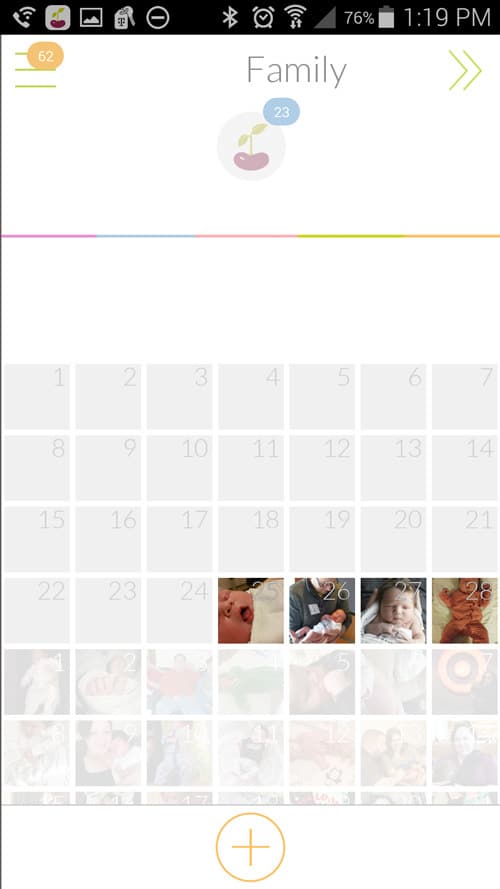
Tinybeans prompts you to upload photos or videos each day in this handy calendar view. I love the calendar because it makes it so easy to not only keep track of the days and make sure you actually upload a photo each day but also because it's easy to see and track your baby's growth! My husband and I both have the Tinybeans apps on our phones and we use this to add photos and videos, but you can also add photos via the website.
As for sharing the photos, you can grant access to your private album to friends and family members and only those people to whom you've given access will be able to view the albums. Those people viewing your album are able to “love” the photos and leave comments, so some of the social aspects that people like about Facebook or Instagram are still available, but without the need to worry about strangers ogling your baby.
Those with access to the albums can choose how often they'd like to be notified of new photos, be that weekly, daily, or as soon as they get posted. It is so nice that the photos get broadcast out because it really cuts down on the amount of emailing you have to do to share photos! Those with access to your albums have the option of viewing photos in the app, going to the website, or having the photos and videos sent directly to them via email. This feature has proven to be incredibly beneficial since almost all of our family members view the photos in different ways. For instance, my parents both view the photos on the app, but my husband's parents wait to receive their daily email.
Tinybeans also gives all users the option of downloading and saving photos. I recently went through a spell of printing out a bunch of photos from my son's first year and being able to go through and find a photo for each date was incredibly helpful. (Seriously, I'm SO disorganized when it comes to things like this, despite my best efforts.) Being able to download photos is also nice for family members who might want to get pictures printed out and framed.
Track Milestones Using Tinybeans
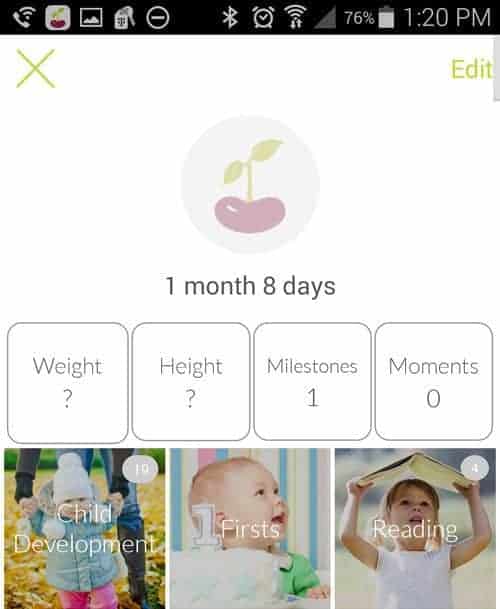
In addition to adding daily photos, Tinybeans also lets you track your baby's milestones. I think this is a fabulous option although I have to admit I never really used it. However, if you want a place to keep track of things like your baby's weight and height, as well as the baby's first smile and other big events, you can do it right within the app!
Use Tinybeans to Quickly Create Photobooks
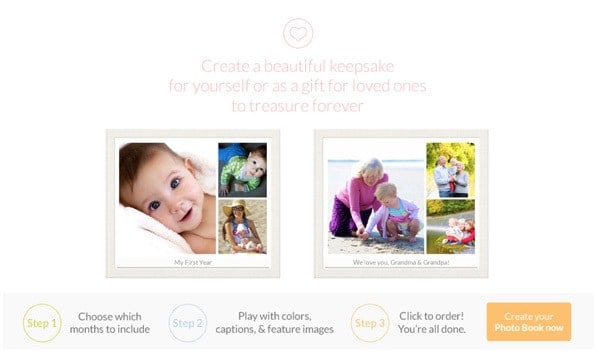
One other perk that I will likely take advantage of at some point is that Tinybeans allows you to quickly and easily create photo books using the images that you are uploading to the app. I've never actually made a photo book because I just can't seem to make the time for it, but with Tinybeans there's really no excuse.
Tinybeans Premium
Tinybeans is a free photo-sharing app for parents, though the free version limits you to 20 memory uploads per month.
A premium version is also available. With Tinybeans Premium you can:
- Post longer videos – the free app lets you post 30-second videos but with the premium version you can post videos that are up to five minutes in length
- Add multiple photos at one time
- Hide moments you don't want broadcast to everyone in your circle
- Back up all of your photos and videos
- 2 TB of storage
- No ads!
As of September 17, 2023, the Tinybeans premium cost is $7.99 per month or $74.99 per year.
We've been a Premium subscriber for years and have found it to be worth its weight in gold!
Tinybeans is a Great App for Parents
My husband and I, and both of our families, love Tinybeans because it allows everyone in our family to watch our children grow even though they aren't here in person. I'm also not particularly good about regularly taking photos and I'm sure I'd take far fewer except for my commitment to filling in most dates on the calendar. While we love Tinybeans Premium because of the extended video length, it's certainly not a requirement. We used the free version for a long time and were quite happy.
Whether you're a new or experienced parent, Tinybeans is a great way to privately share photos and milestones with loved ones. I highly recommend it!
If you're interested in trying out Tinybeans, click here to get a free 14-day trial!